.png)

The original no-display fault was successfully repaired and the RTX 3070 returned to normal operation.
Post-repair stress testing also identified elevated operating temperatures, allowing an additional thermal issue to be addressed before the card was returned. The thermal pads were replaced and the GPU was retested to confirm stable operation under load.
The completed repair therefore addressed both the original electrical failure and the thermal condition identified during quality-control testing.
Original fault: No display
Primary repair: 12V power circuit component replacement
Additional work: Thermal pad replacement
Outcome: Successfully repaired and tested
6. The Result
4. The Repair
Once the source of the 12V fault had been identified, the defective capacitor and PCIe 12V protection fuse were replaced.
The repaired area was then inspected under magnification and further resistance and continuity checks were carried out before power was reapplied.
With the electrical fault removed, the graphics card was able to initialise correctly again and display output was restored.
During subsequent testing, however, the GPU was found to be operating at higher temperatures than expected. The card was therefore opened again and the thermal pads were replaced to improve contact and heat transfer between the components and heatsink.
Experiencing a Similar GPU Fault?
No display, no power, crashing, overheating or other graphics card issues?
Fox Tech Repairs provides nationwide UK mail-in diagnostics and component-level graphics card repair, with the fault investigated before any repair work is carried out.
Restoring display output was only the first stage of confirming a successful repair.
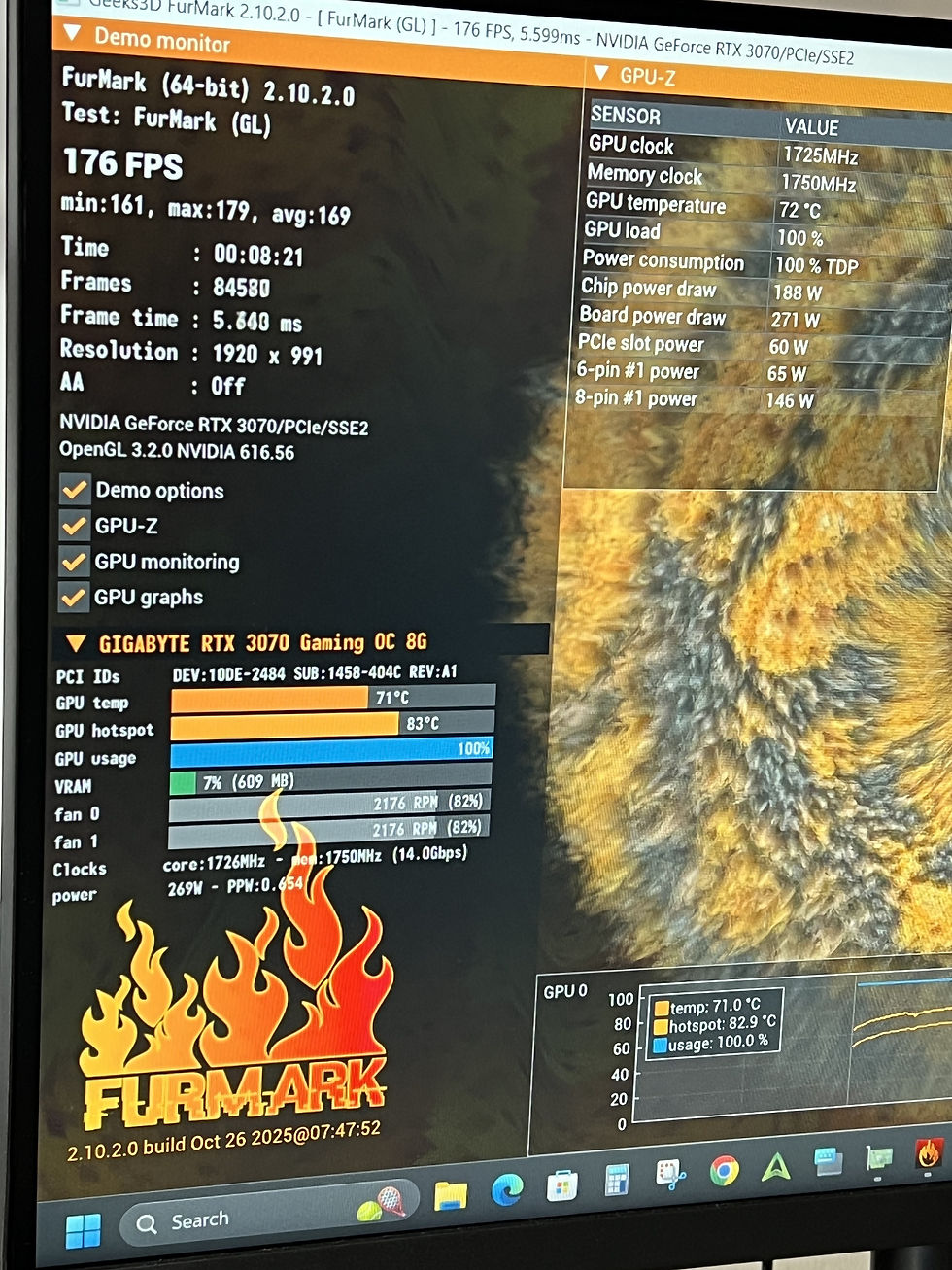
The RTX 3070 was installed in a test system and subjected to sustained load testing while GPU temperature, hotspot temperature, fan behaviour and overall stability were monitored.
Initial thermal testing showed that the card was running hotter than expected. Rather than returning the GPU in this condition, the thermal interface was investigated and the existing thermal pads were replaced.
The card was then retested to confirm improved thermal performance and stable operation under load.
Post-repair checks:
-
✓ Graphics card correctly detected
-
✓ Display output restored
-
✓ GPU drivers operating correctly
-
✓ Sustained load testing completed
-
✓ Fan operation checked
-
✓ GPU and hotspot temperatures monitored
-
✓ Thermal pads replaced
-
✓ Card retested following thermal servicing
-
✓ Final visual inspection completed
5. Testing & Verification
Voltage and resistance checks were carried out across the card’s main power rails.
Testing showed that the 12V supply provided through the motherboard’s PCIe slot was missing. Further investigation found that the protection fuse on this supply had gone open circuit.
However, a blown fuse is usually the result of another fault rather than the fault itself.
Resistance testing revealed a short circuit on the 12V rail, meaning simply replacing the fuse would likely have caused it to fail again.
The next stage was therefore to locate the component responsible for the excessive current draw.
2. Diagnosis
3. What We Found
Component-level investigation identified faults within the GPU’s 12V power circuitry.
A failed capacitor was found on the affected rail, alongside the open PCIe 12V protection fuse.
The likely sequence of events was that a component failure created excessive current draw on the 12V supply. The protection fuse then opened as designed, isolating the fault and preventing power from continuing through the damaged section of the circuit.
This also explained why several of the card’s downstream power rails were unable to start correctly.
Key findings
-
Open PCIe 12V protection fuse
-
Short circuit present on the 12V rail
-
Failed capacitor identified
-
GPU unable to complete its normal power-up sequence
1. The Problem
The graphics card arrived with no display output and was not operating correctly when installed in a test system.
Initial checks confirmed that power was not reaching the card through its PCIe power connection so GPU was failing to initialise.
Because a no-display fault can be caused by anything from corrupted firmware to failed memory or damaged power circuitry, further component-level testing was required before attempting any repair.
RTX 3070 Graphics card
Case Study
DEVICE — RTX 3070 Graphics Card | FAULT — No Display | OUTCOME — Repaired ✓


.jpg)
_edited.jpg)
_edited.jpg)